"Smart home for seniors" can mean almost anything, from a $15 plug to a fully automated house — and most of what gets marketed under that label is overkill for what an aging parent actually needs. The devices that genuinely help share one thing in common: each removes a specific physical task that's become harder or riskier, rather than adding something new to learn for its own sake.
This guide sticks to that filter. No whole-home automation systems, no devices that require a tech-savvy household to maintain — just the categories with a real, specific reason to exist for aging in place.
In this guide
Video doorbells — skip the rush to the door
The task it removes: getting up and walking to the door before knowing who's there or whether it's safe to open it.
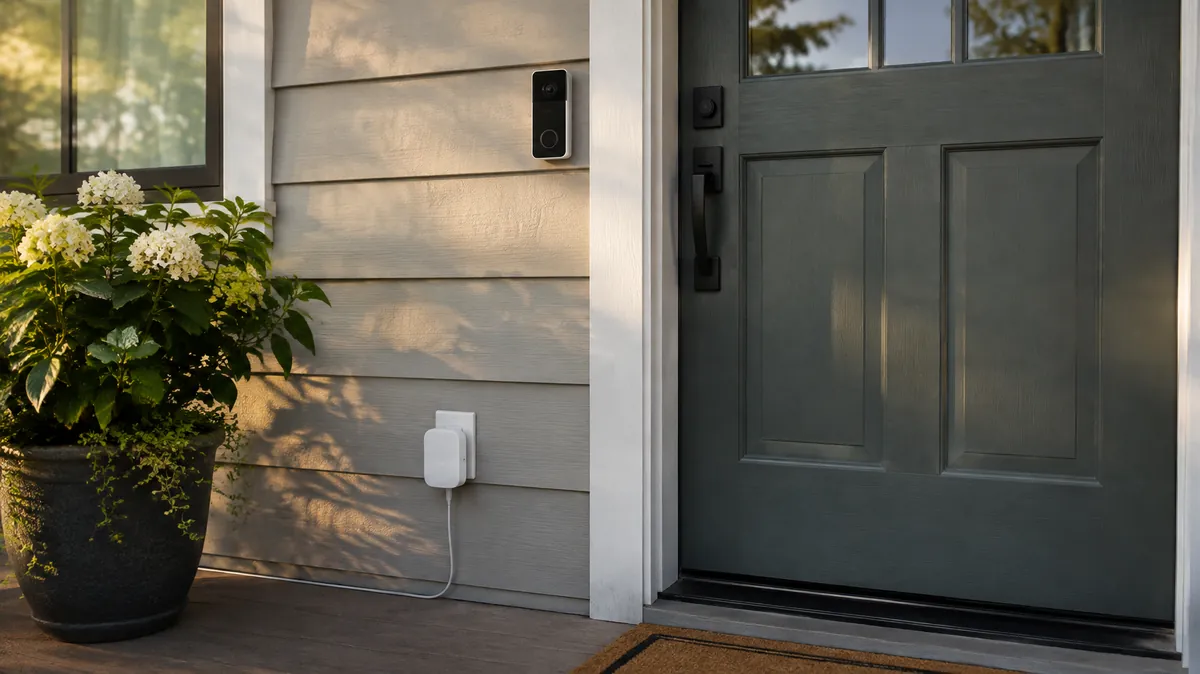
For a parent with limited mobility, walking to answer the door — often rushing, sometimes on stairs — is a small daily fall risk that adds up. A video doorbell lets them see and speak to whoever's there from a phone, tablet, or connected smart speaker anywhere in the house, and decide whether it's worth getting up at all.
It also addresses a second, less-discussed risk: door-to-door scams targeting older adults. Being able to see and screen a visitor before opening the door — or not opening it at all — is a real protective layer, not just a convenience.
Video doorbell with two-way audio and phone alerts
Look for one with a wide field of view and package-detection alerts — both matter more for day-to-day usefulness than resolution specs most people never notice.
Smart plugs — control lamps and small appliances without reaching
A smart plug is the cheapest, lowest-effort device on this list, and often the most quietly useful. Plugged into an existing lamp, it lets someone turn a light on from a chair, a bed, or by voice — without crossing a dark room at night, which is one of the more common setups for a fall.
The same plug can control a fan, a space heater (check the manufacturer's guidance on heaters specifically before automating one), or a coffee maker, turning any of them into something operable without bending down to a wall switch or an awkward appliance dial.
- Night-light use case — pair with a bedside lamp and a voice command or automatic schedule so a 2am bathroom trip doesn't happen in the dark
- No new app fatigue — most plugs work through the same app as a video doorbell or speaker from the same brand family, so it's one app to manage, not five
- Physical switch stays functional — a smart plug doesn't remove the ability to just flip it on by hand, which matters if voice control isn't a good fit for that particular parent
Smart speakers — hands-free reminders and emergency calling
A smart speaker (Amazon Echo, Google Nest, or similar) is the device that ties the others together through voice control, which matters most for anyone dealing with reduced grip strength, vision changes, or difficulty navigating a phone screen under stress.
Beyond controlling other devices, the two features worth setting up specifically are voice-activated calling to a short list of family members, and recurring voice reminders for things like medication times or appointments — a lower-friction complement to the dedicated medication reminder devices covered in our other guide, not a replacement for one where missed doses are a serious risk.
Smart speaker with simplified senior-friendly setup
Set it up in person the first time rather than shipping it and walking someone through setup over the phone — the initial account linking and permissions are the part that trips people up, not day-to-day use.
Smart locks — caregiver and home aide access without a hidden key
If more than one caregiver, family member, or home health aide needs access at different times, a smart lock replaces the common (and genuinely risky) workaround of a key hidden under a mat or a rock. Most models support individual entry codes per person and a log of who came in and when, which is useful for coordinating paid in-home care without everyone needing a physical key copied.
It's also a direct complement to a medical alert system: if a fall response team or EMS needs to get in and no one else is home, some smart locks support a temporary one-time code issued remotely instead of a forced entry.
What to skip
Not every "smart" product marketed for seniors earns its complexity. A few categories worth being skeptical of:
- Full home automation systems — multi-device ecosystems with custom routines and hubs are genuinely useful for tech-comfortable households, but they add a maintenance burden (updates, reconnecting after WiFi outages, app changes) that tends to fall on family members long-term, not the parent using it day to day
- Indoor cameras marketed generically as "senior monitoring" — worth a real conversation about privacy before installing, not a default purchase; see the FAQ below
- Devices with a subscription required for basic function — some doorbells and locks lock core features (like video history) behind a monthly fee; check what actually works without a subscription before assuming full functionality
What to check before buying
- WiFi reliability at the actual install location — a front door far from the router is the most common reason a video doorbell drops connection; a WiFi extender may be needed first
- Physical control still works — for plugs and locks especially, confirm the manual/physical option still functions if the app, WiFi, or voice assistant isn't available
- Battery vs. hardwired — battery-powered doorbells are easier to install but need periodic recharging; hardwired units avoid that but usually need existing doorbell wiring
- Who else needs app access — confirm the app supports multiple family members or caregivers logging in, not just one account
- Return policy — smart home fit is genuinely hard to predict from a listing alone; buy from a retailer with an easy return window in case a device doesn't suit how that specific parent actually uses their home
Get the Free Home Safety Checklist
A printable room-by-room checklist for bathrooms, bedrooms, kitchens, stairs and hallways.
Common questions
What smart home devices actually help an elderly parent live independently?
Video doorbells, smart plugs for lamps and small appliances, smart speakers for hands-free reminders and calling, and smart locks for caregiver access have the best real-world track record. Each removes a specific physical task rather than adding a new gadget to learn.
Do I need a smart speaker or hub for these devices to work?
Not always. Video doorbells and smart plugs typically work through their own phone app alone. Voice control benefits most from a smart speaker acting as the hub, which matters especially for anyone with reduced grip strength or vision changes.
Are smart home devices for seniors a privacy or surveillance concern?
It depends on the device. A doorbell facing the street is different from an indoor camera. Most families do best sticking to devices that solve one specific physical task and talking through the choice with the parent directly, rather than installing devices without a conversation.
Related reading
Smart home devices complement rather than replace a dedicated safety device — see our medical alert systems comparison for fall response specifically, and our GPS tracker guide for wandering risk outside the home. For how all of it fits together when you live far away, see our long-distance caregiving guide. Not sure which device fits the worry? Our free safety device finder matches devices to what you are actually afraid of. Before paying extra for anything marketed as AI-powered, read our seven questions to ask before you buy.