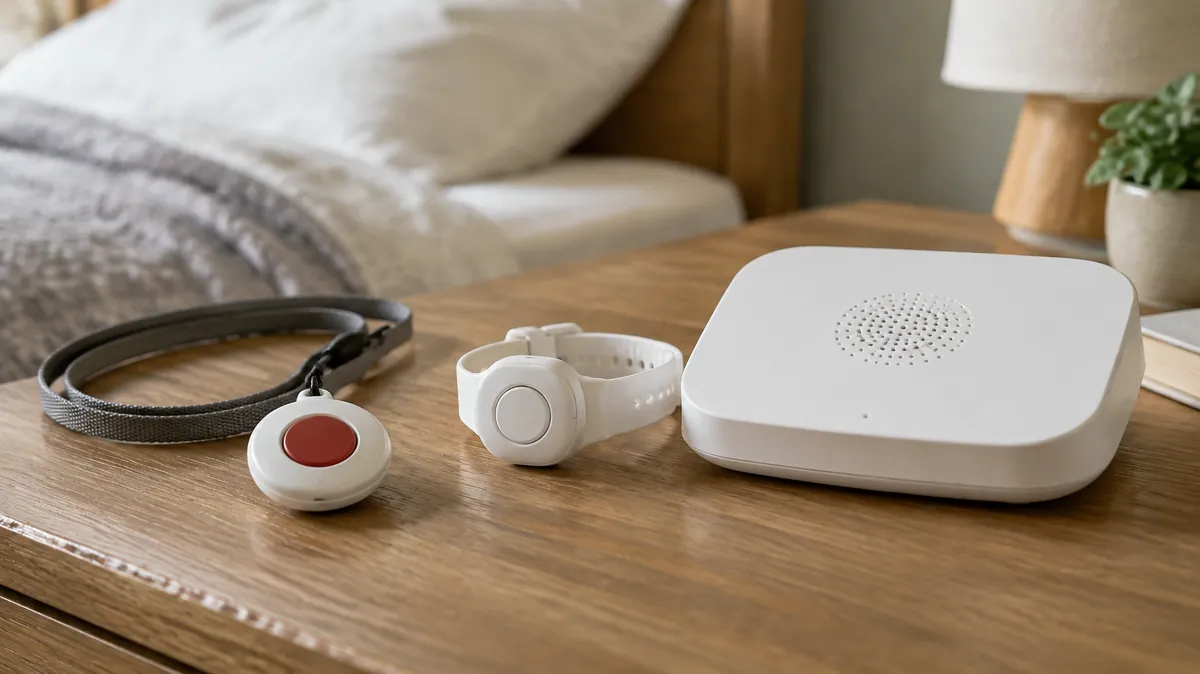
Most medical alert comparisons rank systems by price and call them done. That misses the actual decision, which isn't "which is cheapest" — it's "which one fits how my parent actually lives." A system built for someone who rarely leaves the house is the wrong fit for someone still driving to church and the grocery store, and vice versa.
Below, we sort five well-established systems by the situation they fit best, not by marketing claims. We haven't tested these devices ourselves. The prices and contract terms below come from each company's own website and from published reviews, last checked in October 2026. Confirm current pricing, equipment fees and any contract terms directly with the provider before buying, since these change more often than the hardware does.
One thing worth knowing: Medical Guardian bought MobileHelp in 2024, so those two are now sister brands under one company. They are still sold separately, with their own devices and prices.
In this guide
Quick comparison
| System | Coverage | Fall detection | Monthly fee (before add-ons) | Contract and upfront cost | Best for |
|---|---|---|---|---|---|
| Medical Guardian | In-home + mobile options | Available, add-on | $32–$50 on monthly billing; less on quarterly or annual plans | No long-term contract. One-time equipment fee on most devices (about $150–$200 reported). | Families who want a system that grows from in-home to mobile as needs change |
| MobileHelp | In-home + mobile + GPS | Available, add-on | $30–$42, depending on device and billing (home systems from $29.95, Elite from $37.95) | No long-term contract. Equipment is reported to be included at no charge. | Active seniors still out and about, since mobile units include GPS |
| Bay Alarm Medical | In-home + mobile | Available, add-on | $28–$40 | No long-term contract. In-home unit is leased free; mobile devices have a one-time fee (about $90–$160 on sale). | Budget-conscious families who still want no long-term contract |
| Life Alert | In-home + mobile | Not standard | $50–$90+, depending on devices | A three-year contract and an activation fee (about $250) are reported. Check before signing. | Households that specifically want the most recognized brand name |
| Aloe Care Health | In-home smart hub + mobile | Built into the mobile unit; at-home sensor covers one room | $25–$50+, depending on plan | Month-to-month is reported. One-time hardware fee of about $100–$350. | Families who want remote check-ins and activity alerts, not just a button |
How we compared these
We weighed four things equally: response time claims, whether fall detection is built in or an add-on, contract flexibility (month-to-month vs. long-term commitment), and how the system fits someone who leaves the house regularly vs. someone who mostly stays home.
In-home vs. mobile: which type does your parent need?
In-home units cover the property only; mobile units follow the person via built-in GPS and cellular data.
In-home systems connect a base station to landline or cellular service and cover the house and yard through a range that typically extends a few hundred feet outdoors. These make sense for a parent who no longer drives and spends nearly all their time at home.
Mobile systems use built-in GPS and cellular data, so coverage follows the person anywhere there's signal — the grocery store, the doctor's office, a walk around the block. If your parent is still driving, walking independently, or traveling, a mobile unit is the right category to shop in, even if it costs a bit more.
A quick gut check: if your parent's routine includes leaving the house without you more than once a week, start with mobile systems and skip the in-home-only options entirely.
Our picks, by situation
MobileHelp Classic
GPS location matters most when the person wearing the device is out in the world, not sitting at home, and MobileHelp's mobile units include it. We haven't tested the devices ourselves, so ask any company how well location works indoors and in your parent's usual places before you buy. No long-term contract also means you're not locked in if it turns out to be the wrong fit. MobileHelp is owned by Medical Guardian, which is also on this list.
Medical Guardian
If you're not sure yet whether your parent needs in-home-only or mobile coverage, Medical Guardian's tiered plans let you start simple and step up later without switching providers — useful for a parent who's independent now but may need more coverage in a year or two.
Bay Alarm Medical
Strips out the extras and keeps the core function — a button press connecting to a monitoring center — at one of the lower price points in the category, without asking for a long-term commitment. The in-home unit is leased at no charge; the mobile devices have a one-time fee on top of the monthly price.
Head-to-head: which one wins for you?
The quick comparison above covers the full field. If you've narrowed it down to two specific names, here's the direct trade-off between each pair.
Medical Guardian vs. Bay Alarm Medical
This comes down to budget versus flexibility. Bay Alarm Medical strips out the extras and keeps pricing at one of the lower points in the category — the right call if the core button-to-monitoring-center function is genuinely all you need. Medical Guardian costs more but offers tiered plans that let you start with in-home coverage and step up to mobile later without switching providers, which matters more if your parent's needs are likely to change within the next year or two.
Medical Guardian vs. MobileHelp
These two now belong to the same company, but they sell separate devices and plans. Both offer similar coverage tiers and neither requires a contract, so this one comes down to how much your parent is out and about versus how likely their needs are to change. MobileHelp is built around its mobile GPS unit, which matters for a parent who's out regularly. We haven't tested either company's devices, so ask both how location works indoors and outdoors. Medical Guardian's tiered structure is the better fit if you're not yet sure how much coverage your parent will need going forward.
Bay Alarm Medical vs. MobileHelp
Cost versus outdoor use. In-home monthly prices are close. Bay Alarm Medical's mobile devices have lower monthly fees but a one-time device fee, while MobileHelp's Elite costs more per month and is reported to have no equipment charge, so compare the total over a year, not just the monthly number. A GPS mobile unit matters most if your parent is frequently outside the home — walking, driving, or traveling — and less if they mostly stay close to home. Both companies offer mobile options.
Does automatic fall detection actually work?
Automatic fall detection is genuinely useful, and it is not foolproof. It can catch many hard, fast falls. It can miss slow falls — someone sliding gradually out of a chair — or falls cushioned by a rug or bed. Treat it as a safety net underneath the worn help button, not a replacement for it. Anyone who might hesitate to press a button out of not wanting to "make a fuss" is exactly who benefits most from having fall detection as the backup.
The Aging Parent Emergency Info Sheet
Medications, contacts and legal info on one page, ready for a paramedic or hospital.
Common questions
Do medical alert systems really help in a fall?
They help most when a fall leaves someone unable to reach a phone. A worn button or a fall-detection pendant closes that gap by connecting to a monitoring center with one press, or automatically if fall detection triggers.
What's the real difference between in-home and mobile systems?
In-home systems only cover the house and yard through a base station. Mobile systems use built-in GPS and cellular data, so they work anywhere there's signal — which matters if your parent still leaves the house regularly.
Is fall detection worth paying extra for?
For most families, yes, especially for a parent who lives alone or who might hesitate to press a button. It's a backup layer, not a replacement for the worn button.
How do I convince my parent to actually wear it?
Framing matters more than the device. Positioning it as "so you can stay independent here" rather than "in case you fall" tends to land better, since it's about autonomy rather than fragility.
What are the main types of medical alert systems?
Three main categories: in-home systems that only cover the house through a base station, mobile systems with built-in GPS and cellular that work anywhere, and fall-detection add-ons that can be layered onto either type. Most families choose based on how much time the person spends outside the home.
Are there alternatives to a traditional medical alert system?
A few exist, though most trade off reliability for convenience. Smartwatches with fall detection work if the person already wears one consistently, and smart speakers with emergency calling can help for in-home use. Neither replaces a dedicated device's battery life and one-button simplicity, which matters most during an actual emergency.
Related reading
If a fall risk is more about the bathroom than being alone, start with our bathroom safety checklist — a lot of families need both a medical alert system and a few grab bars, not one or the other. And if your parent keeps leaving the device in a drawer, see what to do when a parent refuses safety devices. If you live far from your parent, our long-distance caregiving guide shows how an alert system fits alongside the rest. Not sure which device fits the worry? Our free safety device finder matches devices to what you are actually afraid of. The numbers behind fall risk, sourced to the CDC, are in our older adult falls statistics. Before paying for anything marketed as AI-powered, read our seven questions to ask before you buy AI aging-in-place tech. · Does Medicare cover medical alert systems? · Medical alert with no monthly fee · Fall detection for a parent living alone
Wondering what Medicare covers?
See our Medicare coverage guide for how medical alert systems, rollators, stairlifts, and bathroom equipment are each treated differently.