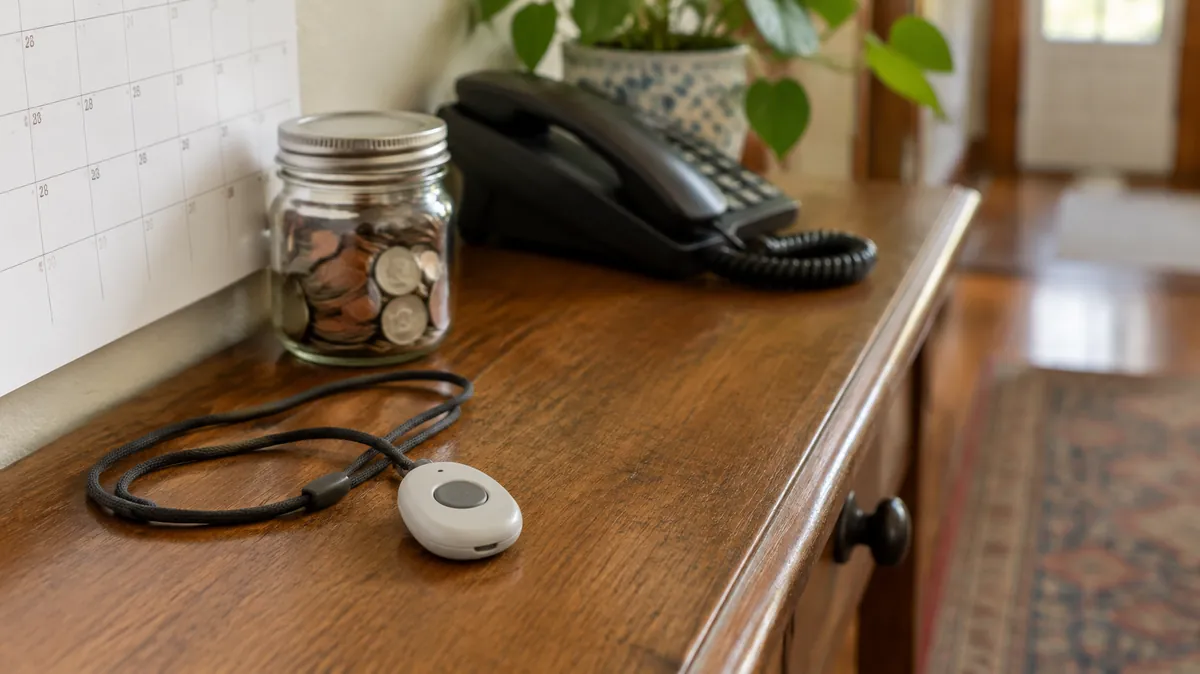
“No monthly fee” is one of the most searched phrases in this category, and it deserves a plain answer. A medical alert system with a 24/7 monitoring center almost always charges monthly, because people answer the calls. What you can get without a monthly fee is a different kind of help, with different limits.
This guide explains each no-fee option, who it suits, where it fails, and how to cut the cost if your parent needs real monitoring. We are an independent research site, not a medical provider, and nothing here is personal advice.
The short answer
No-fee options exist, but none of them is monitored. A watch or phone can call emergency services or your family. A pendant can dial a list of numbers. If nobody picks up, nobody is sent. If your parent lives alone and family is far away, monitoring may be worth paying for, and there are ways to lower the price.
In this guide
What the monthly fee actually buys
With a monitored system, pressing the button (or a detected fall) connects your parent to a trained operator who can talk to them through the device, decide whether to send help, and call the contacts on file. The fee pays for that staffed center, plus the cellular connection in mobile devices. A device with no fee has no such center.
That is the question to ask of every “no monthly fee” product: who answers when my parent presses it, and what happens if they don’t?
A smartwatch or phone with fall detection
Modern smartwatches can detect a hard fall and call for help. Apple’s support page for Fall Detection says, for example:
- After a hard fall, the watch taps the wrist and sounds an alarm. If it senses about a minute of no movement, it starts a 30-second countdown and then calls emergency services and the person’s emergency contacts unless they cancel.
- Fall Detection turns on automatically if the age entered is 55 or older.
- It needs a satellite, cellular or Wi-Fi Calling connection from the watch or a nearby iPhone.
- It cannot detect every fall, and high-impact activity can trigger it.
This is a real safety net, and it has no monitoring fee. It also has practical limits for an older parent:
- It has to be worn and charged. A watch on the nightstand protects nobody, and daily charging is a habit many parents drop.
- It needs a connection. A cellular watch generally needs a wireless plan, which is a monthly cost. Otherwise it depends on a nearby phone.
- There is no staffed center. The watch calls emergency services and contacts. It does not check in by voice with a trained operator.
- The screen and buttons are small. If your parent cannot cancel a false alarm or will not wear a watch, it is the wrong tool.
- The cost moves upfront. You pay for the watch itself, and for a phone if they do not have one.
Other brands offer similar features. Check the exact model, because fall detection and calling features differ by device and by plan.
A pendant that calls your family
Some help buttons connect to a phone line or a cellular network and dial a list of numbers you set, with no monitoring center behind them. These are usually the cheapest to run. They work when someone on the list reliably answers, and they fail quietly when nobody does: at 3 a.m., or when your whole list is at work or asleep.
Help button that dials a list of numbers
Before buying, check what it does when the first number does not answer, whether it keeps calling down the list, whether it is waterproof for the shower, and whether it needs any kind of plan. If your parent lives alone, pick one with at least three reliable people on the list, and test it with them.
Getting someone else to pay
“No monthly fee” can also mean “not your monthly fee.” Original Medicare generally does not pay for a medical alert system, but these sources sometimes do:
- Some Medicare Advantage plans, as an extra benefit.
- Some state Medicaid programs and waiver programs.
- Long-term care insurance, which Healthline says may cover alert systems in full or in part. Ask whether yours covers the monthly fee or only the device.
- The VA, for some veterans.
- AARP discounts and company discounts by income, group or local hospital.
Our guide to whether Medicare covers medical alert systems lists the questions to ask each one. Your local Area Agency on Aging can also tell you what is available nearby, and the Eldercare Locator (1-800-677-1116) connects you to it.
Cutting the cost of monitoring
If your parent needs a monitored system, you can still pay less:
- Prepay. In our comparison, several providers charge less per month on quarterly or annual billing.
- Choose no contract. At least one provider reports a three-year contract and an activation fee. Others are month to month.
- Match the device to the life. A parent who stays home may only need an in-home system. Mobile GPS adds cost and only matters if they leave the house often.
- Skip add-ons you will not use. Fall detection is worth it for many parents who live alone. Extra pendants and lockboxes may not be.
- Compare three-year cost. An illustrative example, not a quote: $30 a month is $1,080 over three years, and $50 a month is $1,800.
Who can skip monitoring, and who shouldn’t
These are our own suggestions, not rules.
- A no-fee option may be enough if your parent has a spouse or housemate at home, has several nearby people who will answer the phone, wears a watch reliably and understands how to use it.
- Monitoring is worth serious thought if your parent lives alone, has fallen before, has dementia, cannot reliably press a button or use a phone, or if no one on your list can promise to answer at night.
If your parent resists wearing anything, read what to do when an aging parent refuses safety devices. If you are still deciding which type fits, the device finder asks a few questions about your parent’s day and points to a type.
The Aging Parent Emergency Info Sheet
Medications, contacts and legal info on one page, ready for a paramedic or hospital.
Common questions
Is there a medical alert system with no monthly fee?
Yes, but not with a 24/7 monitoring center. Monitoring is a staffed service, so it is almost always billed monthly. The no-fee options are devices that call your own list of numbers, and smartwatches or phones that can call emergency services or contacts. Some people also get monitoring paid for by a plan, Medicaid, insurance or the VA.
Can an Apple Watch replace a medical alert system?
It can cover part of the job. Apple says Fall Detection can call emergency services and your emergency contacts after a hard fall if the watch senses about a minute of no movement. It also says the watch cannot detect every fall, and it needs a cellular, satellite or Wi-Fi Calling connection from the watch or a nearby iPhone. It has no monitoring center, and it only helps if your parent wears and charges it.
Is a pendant that only calls family safe enough?
It depends on who is reachable. If the pendant dials a list of numbers and nobody answers, no one is dispatched. It can work for a parent who has several nearby people who will pick up, and it is a weaker fit for someone who lives alone with family far away.
Can I get a medical alert system for free?
Sometimes. Some Medicare Advantage plans, state Medicaid programs, long-term care policies and VA programs pay for all or part of one. Healthline also says some companies discount by income, group membership or a local hospital connection. Original Medicare generally does not pay.
How much does monitoring usually cost?
In our comparison of the major providers, monthly fees run from roughly $25 to $90 or more, depending on the provider, the devices and whether fall detection is added. Some charge a one-time equipment fee as well. Check the current price before you buy.
What is the cheapest way to lower the monthly cost?
Ask for quarterly or annual billing, which several providers price lower per month, skip add-ons you do not need and choose a provider with no long-term contract. Compare the total cost over three years, not only the monthly figure.
One important caveat
This guide is general information for caregivers and is not medical, legal, or financial advice. No device can guarantee help will arrive, and none detects every fall. Features, prices and plans change. Confirm details with the provider before you buy. If you think your parent is in immediate danger, call emergency services.
Sources
Apple Support, Use Fall Detection with Apple Watch (how it works, the age 55 default, connection requirements and limits). Healthline, Medicare coverage of medical alert systems (long-term care insurance and discounts; last updated April 2025). Administration for Community Living, Eldercare Locator. Monthly price ranges and billing options come from our own medical alert comparison. We opened the linked sources in October 2026. The “who can skip monitoring” guidance and the cost-cutting tips are our own suggestions. We welcome corrections through our contact page.