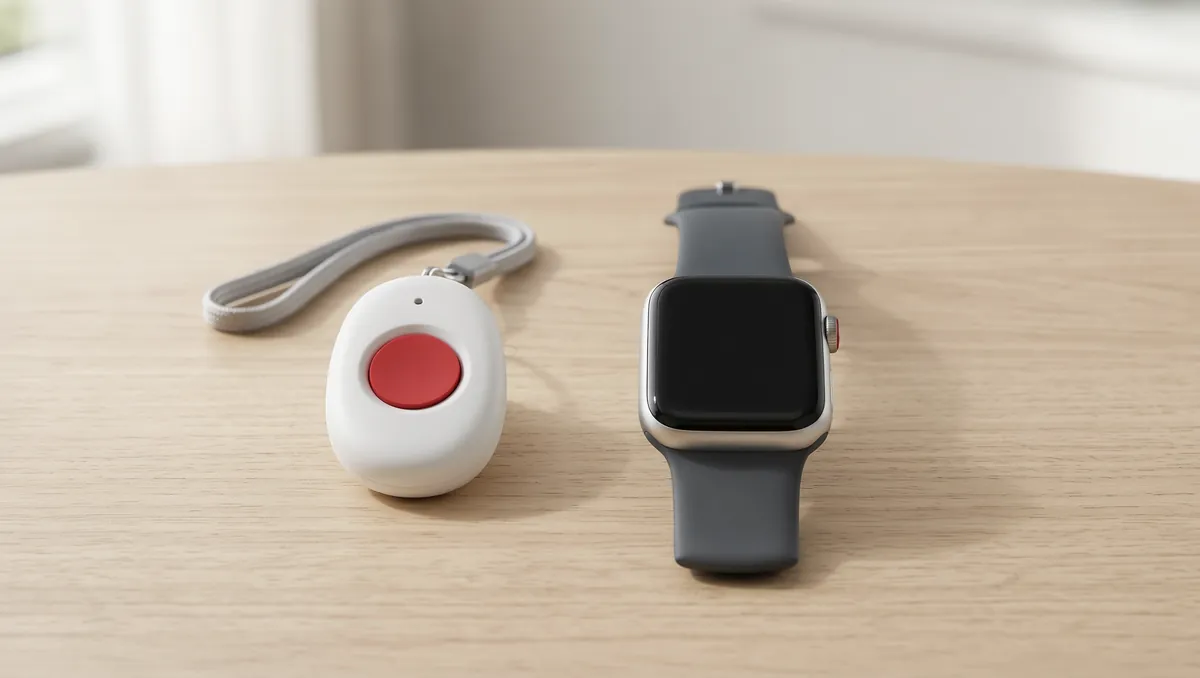
Medical alert companies sell a range from a simple button to a device that works like a smartwatch. The extra features cost more, and not every parent needs them. This page lays out what each tier adds, using NCOA and Healthline, so you can match the features to how your parent actually lives.
The short answer
A basic system (home unit plus a button) fits a parent who is mostly home. Add automatic fall detection if they might not be able to press a button after a fall. Add GPS or a mobile device if they go out alone. Smartwatch extras such as step counts are optional. Whatever you choose, NCOA recommends a monitored service.
In this guide
What does each tier add?
| Tier | What it includes | Who it suits |
|---|---|---|
| Basic | A home unit with a two-way speaker and a wearable button you press (Healthline). NCOA calls the button, two-way talk and 24/7 monitoring the essentials | Someone who is mostly home alone (Healthline) |
| Basic plus fall detection | Motion sensors, and on some models air-pressure sensors, that detect a fall and call for help (NCOA, Healthline). NCOA says it is usually an add-on, about $10 more per month on average | Our view: a parent who might not be able to reach the button after a fall |
| Mobile with GPS | A wearable for use anywhere that can send your location to a call center or 911 (Healthline, NCOA). Many have a caregiver app showing location and battery (NCOA) | Someone who runs errands or travels alone (Healthline) |
| Smartwatch-style | Fall detection and GPS plus extras such as voice activation, heart-rate tracking, weather, step counting and messaging (NCOA, Healthline). These cost more (Healthline) | Someone who wants those extras and will keep the watch charged and on |
The tiers are our grouping of what NCOA and Healthline describe. Companies package them differently.
Does it matter if your parent stays indoors or goes out?
Yes. Healthline says a home-only system suits someone who is mostly home alone, while a portable or smartwatch device suits someone who travels or runs errands alone, since wearables work both inside and outside the house. NCOA describes in-home systems as a base station that talks through a speaker, with typical wearable ranges of 200 to 1,400 feet, and advises at least 1,000 feet. Check that the range covers the garden, garage or any outbuilding your parent uses. If the base station or the wearable could fail, see our guide on which type is more reliable.
Is automatic fall detection worth paying for?
Healthline says some models detect falls with motion and air-pressure sensors, while others need a button press. It also warns that automatic detection can produce false alarms, cannot catch every fall, and is not perfectly accurate, citing a 2020 review. NCOA puts the typical add-on cost at about $10 more per month. So it is an extra layer, not a replacement for a wearable that your parent can press. For more, see fall detection for an elderly parent living alone and smartwatch fall detection.
What should you check on any system?
- Monitored or not. NCOA recommends monitored systems, which route calls to a response center. Unmonitored devices call 911 directly.
- Water resistance. Healthline says it matters for a fall in the shower.
- Battery. NCOA says most devices last at least 20 to 24 hours and some claim up to 10 days. Ask how your parent will charge it, and see our guide on how medical alert systems work.
- Cellular coverage. NCOA says cellular systems need good coverage at the home.
- Warranty. NCOA says it should cover defects and equipment failure.
- Family alerts. Healthline says some systems can text or email family about events such as a possible fall.
To compare real products, see our medical alert comparison and, if you want to avoid a monthly bill, systems with no monthly fee.
The Aging Parent Emergency Info Sheet
Medications, contacts and legal info on one page, ready for a paramedic or hospital.
Common questions
What is the difference between a basic and an advanced medical alert system?
Healthline describes a basic system as a home unit plus a wearable that works by button press. Its advanced tier adds automatic fall detection, GPS, smartwatch functions such as step and heart-rate tracking, and automatic alerts to family, and it costs more. NCOA lists voice activation, heart rate tracking, weather, step counting and messaging as extras on devices that act more like smartwatches.
Is automatic fall detection worth the extra cost?
NCOA says fall detection is typically an add-on that costs about $10 more per month on average. Healthline warns that automatic detection can cause false alarms, cannot catch every fall, and is not perfectly accurate, citing a 2020 review that found not all devices detect all types of falls. It can matter most for someone who may be unable to press a button after a fall, but it does not replace the button. See our fall detection guide.
Does a medical alert system work outside the house?
Only if it is a mobile or GPS device. NCOA describes in-home systems as a base station with a two-way speaker, sometimes with a wearable button, and advises a range of at least 1,000 feet because typical ranges run from 200 to 1,400 feet. Mobile systems are wearables for use anywhere, often with GPS. Our in-home vs mobile guide covers what can go wrong with each.
Should the system be monitored or call 911 directly?
NCOA recommends monitored systems, which route calls to a response center, despite their higher cost. Unmonitored devices call 911 directly.
Does the wearable need to be waterproof?
Healthline says wearables should be water-resistant enough for bathing, which matters for falls in the shower. NCOA says most are water-resistant enough to wear in the shower. Check the exact rating for the model you buy.
About this page
AgingSteady earns a commission on some links, as explained in our affiliate disclosure. This page recommends no product. We found no affiliate disclosure on either source. The NCOA article is dated January 28, 2026 and names no author. The Healthline page states no date or author. This is general information and not medical advice.
Sources
NCOA, Medical alert features (January 28, 2026). · Healthline, Medical alert system features (no date shown). We opened both pages in November 2026 and wrote our own summary. Corrections are welcome through our contact page.