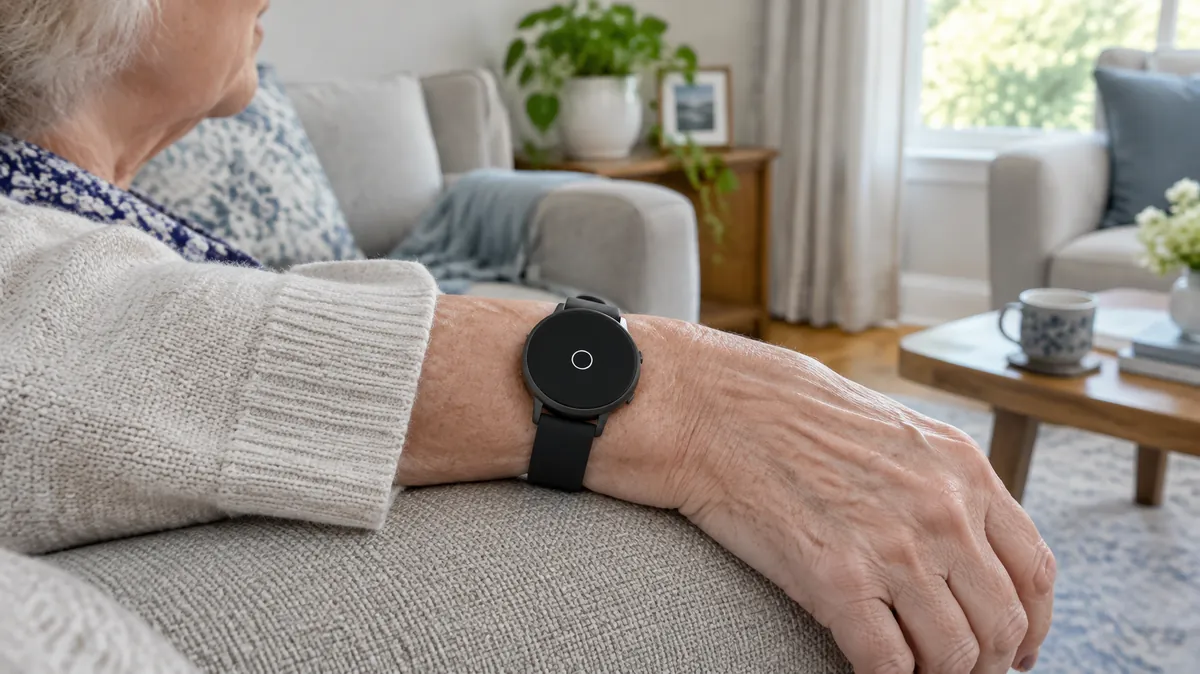
Short answer: yes, several smartwatches can detect a hard fall and call for help. But a watch only protects your parent if they wear it, keep it charged and have a connection, and none of the makers say it detects every fall. It is a reasonable backup for a parent who already wears a watch. For a parent who lives alone, it is usually a weaker choice than a worn medical alert device with a monitoring center.
The CDC reports that about 1 in 4 adults aged 65 and older fall every year. This guide uses the makers’ own support pages to show what Apple, Samsung, Google and Garmin watches do after a fall. We did not test any of them, and nothing here is personal medical advice.
In this guide
What each watch does after a fall
| Watch | On by default? | After a hard fall | What it needs |
|---|---|---|---|
| Apple Watch (SE, Series 4 and later, Ultra) | Yes for ages 55 and older, if the age is set in the Health app or during setup | Taps the wrist and sounds an alarm. If the wearer stays still for about a minute, a 30-second countdown starts, then it calls emergency services and notifies Medical ID emergency contacts with a location | Cellular, Wi-Fi Calling, or a nearby iPhone |
| Samsung Galaxy Watch (Active2, Watch3 and Wear OS models) | No. Switch on in the Galaxy Wearable app and add emergency contacts | Sends an SOS. Can text your location to emergency contacts, and you can choose an emergency call option | Samsung’s page does not list connection requirements. Check your model’s manual |
| Google Pixel Watch (original, 2, 3 and 4) | Not stated. Turn on under Safety in the watch settings or the Pixel Watch app | After about 30 seconds the watch vibrates and rings and asks whether to call. With no response, it calls emergency services after 60 seconds with an automated voice message and shares location if permission is on | LTE models can call alone. Wi-Fi models, or LTE models without service, need the paired phone nearby |
| Garmin (incident detection, vivoactive 6 page) | No. Turn on in settings and pick a GPS activity | Works only for certain outdoor activities. Sends texts and emails to emergency contacts after a short countdown. Does not contact emergency services | Paired phone with data coverage, and contacts set up in Garmin Connect |
Garmin describes its feature as supplemental and says it should not be your main way to get emergency help, so for a senior it is the weakest fit of the four. We read each maker’s support page in November 2026. Models, settings and regional availability change, so confirm on the maker’s page before you buy.
Where a watch falls short for a parent living alone
- It has to be on the wrist. A watch on the nightstand while charging detects nothing. Many falls happen at night or in the bathroom, so ask your parent when the watch comes off.
- It does not catch every fall. Apple and Google both say so. A slow slide or a fall onto a bed or carpet may not register.
- The countdown needs a response. Apple’s watch only calls on its own if the wearer stays still, and a parent who is confused or in pain may not cancel or confirm anything correctly.
- No person on the line. A monitored device connects to an operator who can talk to your parent. A watch calls emergency services or texts contacts, and your parent has to manage that call.
- It needs a connection and a charge. A watch with no signal and no nearby phone cannot call, and a dead battery detects nothing.
- It can raise false alarms. Apple, Samsung and Google all say high-impact activity can look like a fall.
- It has to be set up properly. Emergency contacts, the age in the Health app and location permissions all change what happens. A watch that is not set up may do much less than you expect.
Smartwatch or medical alert system?
| Question | Smartwatch | Monitored medical alert device |
|---|---|---|
| Who answers an alert? | Emergency services or your contacts | A staffed monitoring center, usually |
| Does it detect falls automatically? | Yes, but not every fall | Often as an option, with the same limits |
| Daily charging? | Usually, and it is easy to forget | Varies by device. Check the battery life before you buy |
| Good fit when | Your parent already wears a watch and has family nearby | Your parent lives alone and needs someone to answer |
For prices, providers and which devices include fall detection, see our medical alert systems comparison. If you want to avoid a monthly fee, read medical alert systems with no monthly fee, which covers the smartwatch route in more detail.
Set-up checklist for your parent’s watch
- Turn fall detection on, and do not assume it is on. Apple: Watch app on the iPhone, My Watch, Emergency SOS. Samsung: Galaxy Wearable app, Safety and emergency, Hard fall detection.
- Add emergency contacts. Apple uses the Medical ID. Samsung needs contacts added before the feature works.
- On an Apple Watch, check that your parent’s age is set in the Health app, so the 55-and-older default applies. Keep Wrist Detection on.
- Choose the always-on setting, not workouts only, if the worry is falls at home.
- Confirm how the watch connects: cellular plan, Wi-Fi Calling, or a phone that stays close.
- Agree on a charging time that does not leave the watch off the wrist at night or in the shower, and check whether the model is water resistant for the way your parent bathes.
- Show your parent how to cancel a false alert, and tell the emergency contacts what an alert will look like.
Who a smartwatch suits, and who it does not
It suits a parent who already likes a watch, charges it without being reminded and has family close by. It suits a parent who falls rarely and wants a backup. It is a weaker fit for someone who lives alone with family far away, forgets to charge things, has memory loss, or does not want to wear anything. For those parents, look at a worn monitored device or a dementia monitoring option, and read what fall detection can and cannot do for a parent living alone.
The Aging Parent Emergency Info Sheet
Medications, contacts and legal info on one page, ready for a paramedic or hospital.
Common questions
Does Apple Watch fall detection call my parent's family?
Apple says that after a hard fall the watch taps the wrist and sounds an alarm. If the wearer then stays still for about a minute, it starts a 30-second countdown and calls emergency services. After the call it notifies the emergency contacts listed in the Medical ID and shares the person's location. If the wearer is moving, the watch waits for a response and does not call on its own.
Does smartwatch fall detection work without cellular service?
It needs some kind of connection. Apple says the watch needs cellular, Wi-Fi Calling with an internet connection, or a nearby iPhone. Google says a Pixel Watch with LTE can call without a phone nearby, while Wi-Fi models, or LTE models with no LTE service, need the paired phone close by. Samsung's page does not spell out connection requirements, so check your model's manual.
Is fall detection turned on by default?
It depends on the maker. Apple turns it on automatically for people aged 55 or older when their age is set in the Health app or during setup. Samsung says fall detection is off by default and has to be switched on in the Galaxy Wearable app, with emergency contacts added. Google's help page does not say whether it is on by default and tells you to turn it on under Safety in the watch settings. Always check it yourself when you set up a parent's watch.
Can a smartwatch replace a medical alert system?
For some parents it can cover part of the job, but it is a different product. A smartwatch has no staffed monitoring center, no operator to talk to, and it only helps if your parent wears it, keeps it charged and has a connection. A parent who lives alone and will not manage a daily charge is usually better served by a worn medical alert device. See our comparison of medical alert systems.
Why does the watch sometimes think my parent fell when they did not?
Apple, Samsung and Google all say high-impact activity can be mistaken for a fall. Apple and Samsung let you choose whether detection runs all day or only during workouts. For a parent who is mostly worried about falls at home, leaving it on all day is usually the point, so expect an occasional false alert and teach your parent to dismiss it.
Which smartwatches have fall detection?
We read the support pages of Apple, Samsung, Google and Garmin. Apple lists Apple Watch SE, Series 4 and later, and Ultra. Samsung lists the Galaxy Watch Active2, Watch3 and its Wear OS models. Google lists the original Pixel Watch and Pixel Watch 2, 3 and 4. Garmin's incident detection works only for certain outdoor activities. We did not review other brands, so check the maker's page before buying.
One important caveat
This guide is general information for caregivers and is not medical advice. No device can guarantee that a fall is detected or that help will arrive. If your parent has fallen, is injured or may have a head injury, call emergency services. For repeated falls, talk to their doctor.
Sources
Apple Support, Use Fall Detection with Apple Watch. Samsung, Use the Detect fall feature on your Samsung smart watch. Google, Pixel Watch Fall Detection help. Garmin, Incident Detection (vivoactive 6 manual). CDC, Older adult falls data. We opened these pages in November 2026. The comparison, limits and checklist are our own summary, not a ranking of products, and we have not tested these watches. We welcome corrections through our contact page.
Related reading
Fall detection cameras and room sensors · Basic vs advanced alert features · Fall detection for a parent living alone · Medical alert systems compared · How medical alert systems work · Medical alert with no monthly fee · Does Medicare cover medical alert systems? · What to do when a parent keeps falling · Older adult falls statistics